EasyRead

EasyRead
A more comfortable way
to read papers

Import a PDF and let the Claude Code or Codex you already use, or a free model, translate it page by page in the background. Equations and tables keep their layout, the original page is always beside you, and you can highlight, take notes and ask AI as you read.

Read the English original or translate into Chinese, Japanese, Korean, Spanish, French or German. The interface supports English and Chinese; choose it separately in Settings → Reading → Language.

Free and open source · Runs locally · Optional cloud-drive syncing

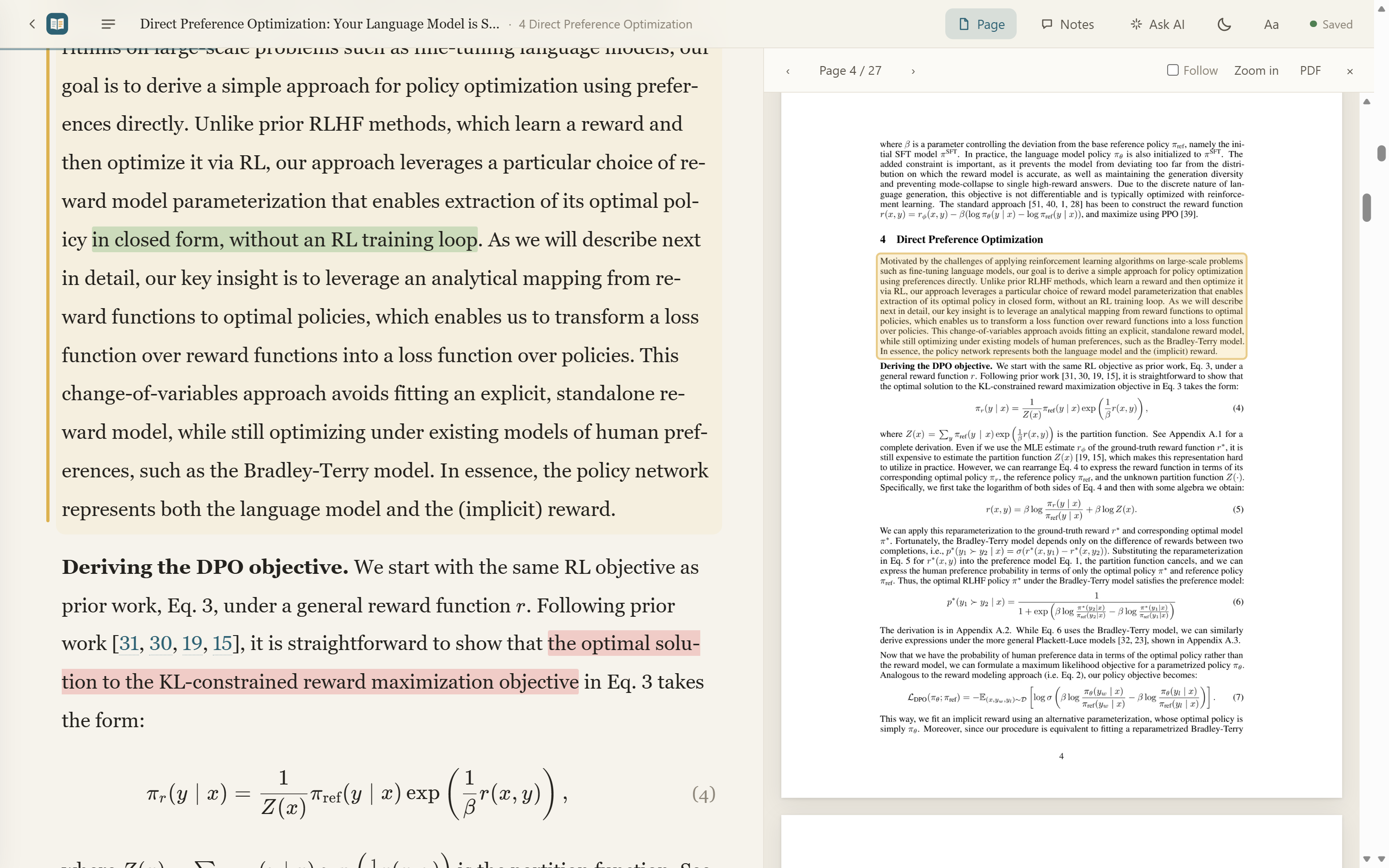
English paper text and equations alongside the original PDF

Not just “throw the PDF into a translator”

Read a well-typeset translation, check it against the original, and keep your notes and questions beside the paper.

Reads like a typeset book

Serif body text and a comfortable measure. Equations re-rendered with KaTeX, clean three-line tables, references left in the original.

Check the original anytime

Toggle bilingual mode to see the English under each paragraph; the original page follows your position and boxes the current paragraph.

Translation ≠ commentary

The main text is only the faithful translation. AI explanations and typos it spots in the source go in the margin.

Ask AI as you read

Quote several paragraphs in one question. Ask about “the ones I marked in red” and it finds your red highlights.

Highlights, notes, questions

Four highlighter colors or underline. Send a question to AI in one click. Everything collected in reading order, exportable to Markdown.

Not just arXiv

Drop in any PDF, or paste an arXiv ID, DOI, title, or an OpenReview / ACL / bioRxiv link. It finds the PDF and fills in the metadata.

Ask AI: quote a few paragraphs, ask once

Drag selected text into the input, or click “Ask AI” on a paragraph. Each quote becomes a chip; your question carries those paragraphs and the context you're reading.

Your highlights aren't stuffed into every prompt. Only when you ask about “the red ones”, “underlined” or “my notes” does it look them up by color.

“Which equation does each of my red-highlighted sentences correspond to?”A real conversation like this is in the demo.
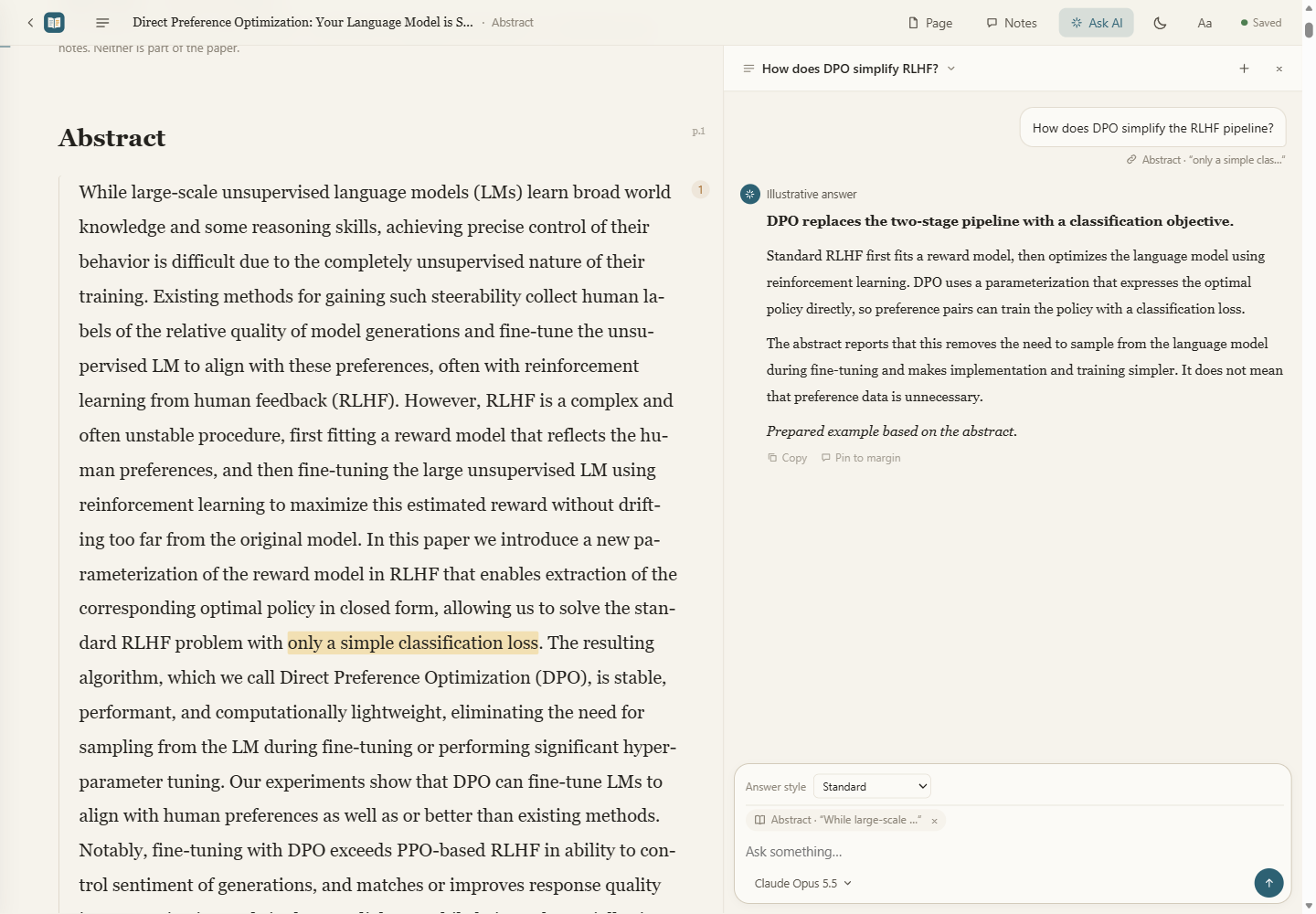
English Ask AI panel with an illustrative answer about a quoted passage

Your language, with the original beside you

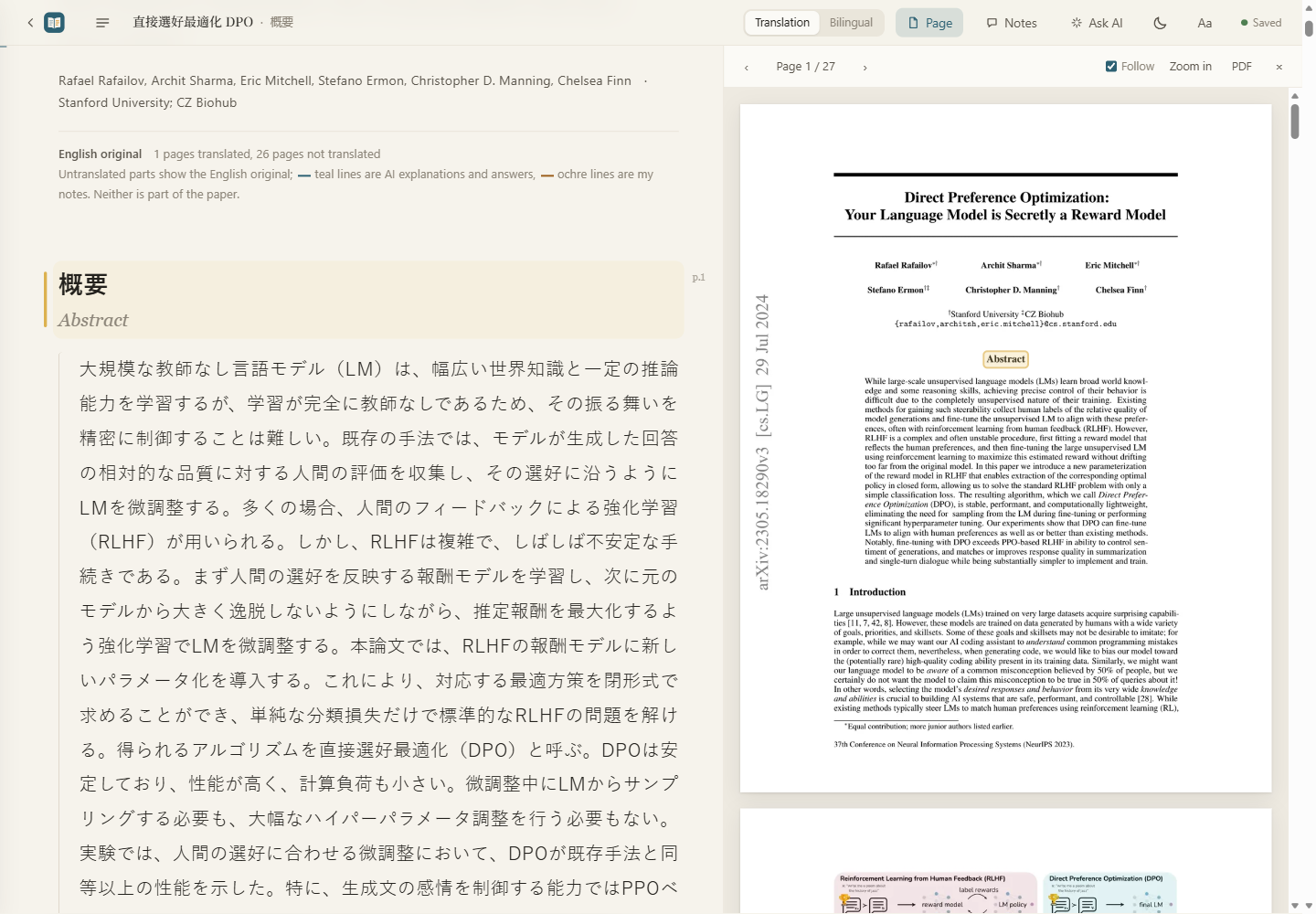
Translate into Chinese, Japanese, Korean, Spanish, French or German. The original page turns with your reading position and draws a box around the paragraph in the PDF. Unsure about an equation or table? One glance settles it.

Japanese abstract alongside the original English PDF

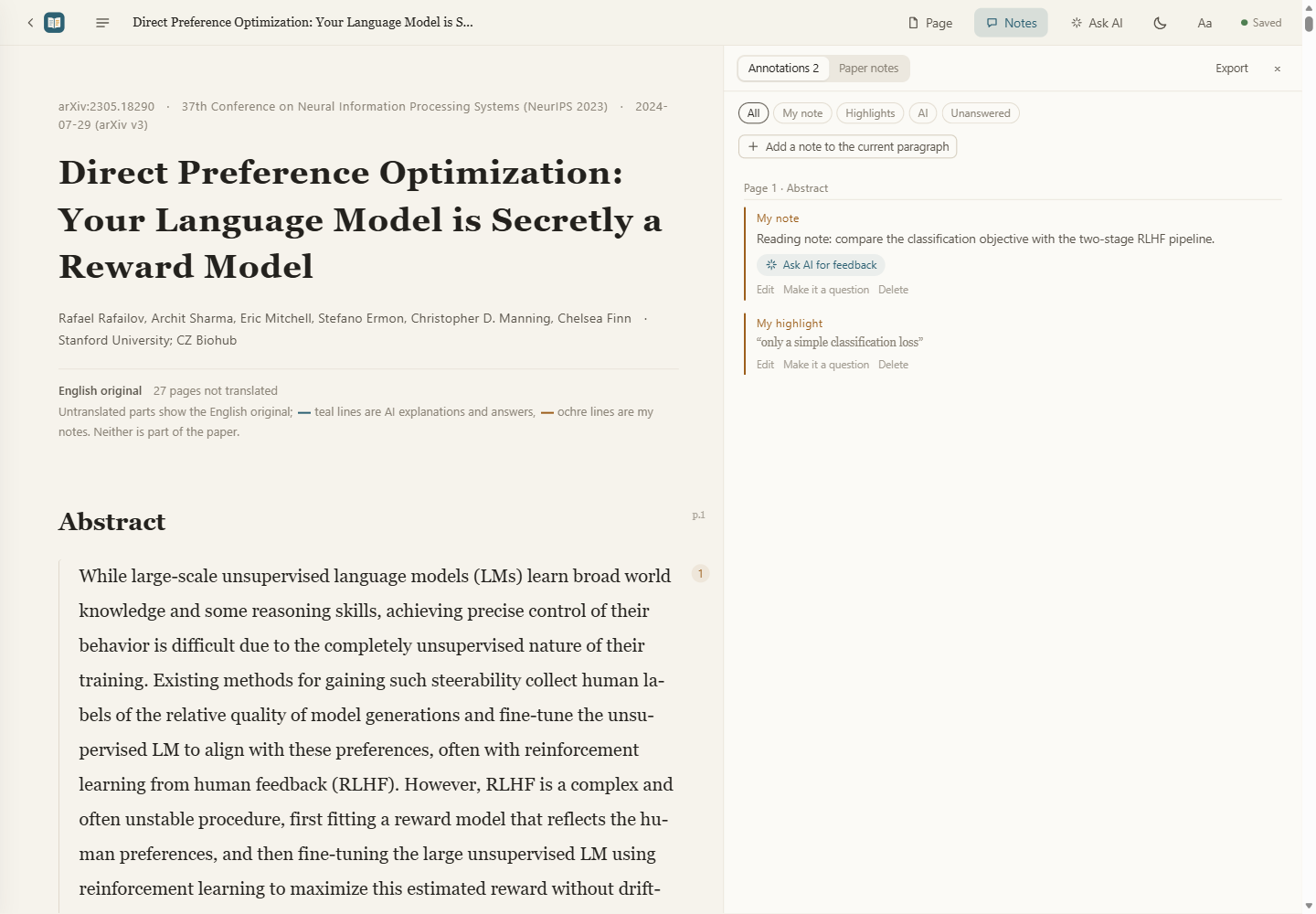
All annotations, in reading order

  • Your highlights, notes and questions
  • Typos found in the source during translation (e.g. two tables that disagree)
  • AI answers

Pick what you want and export it as Markdown for Obsidian or Notion.

English highlights and notes in reading order

A library of your own

Move your library to another drive or a synced folder in Settings → Cloud library. Your cloud drive client handles syncing. Export citations for a whole list or folder in GB/T 7714, APA or BibTeX.

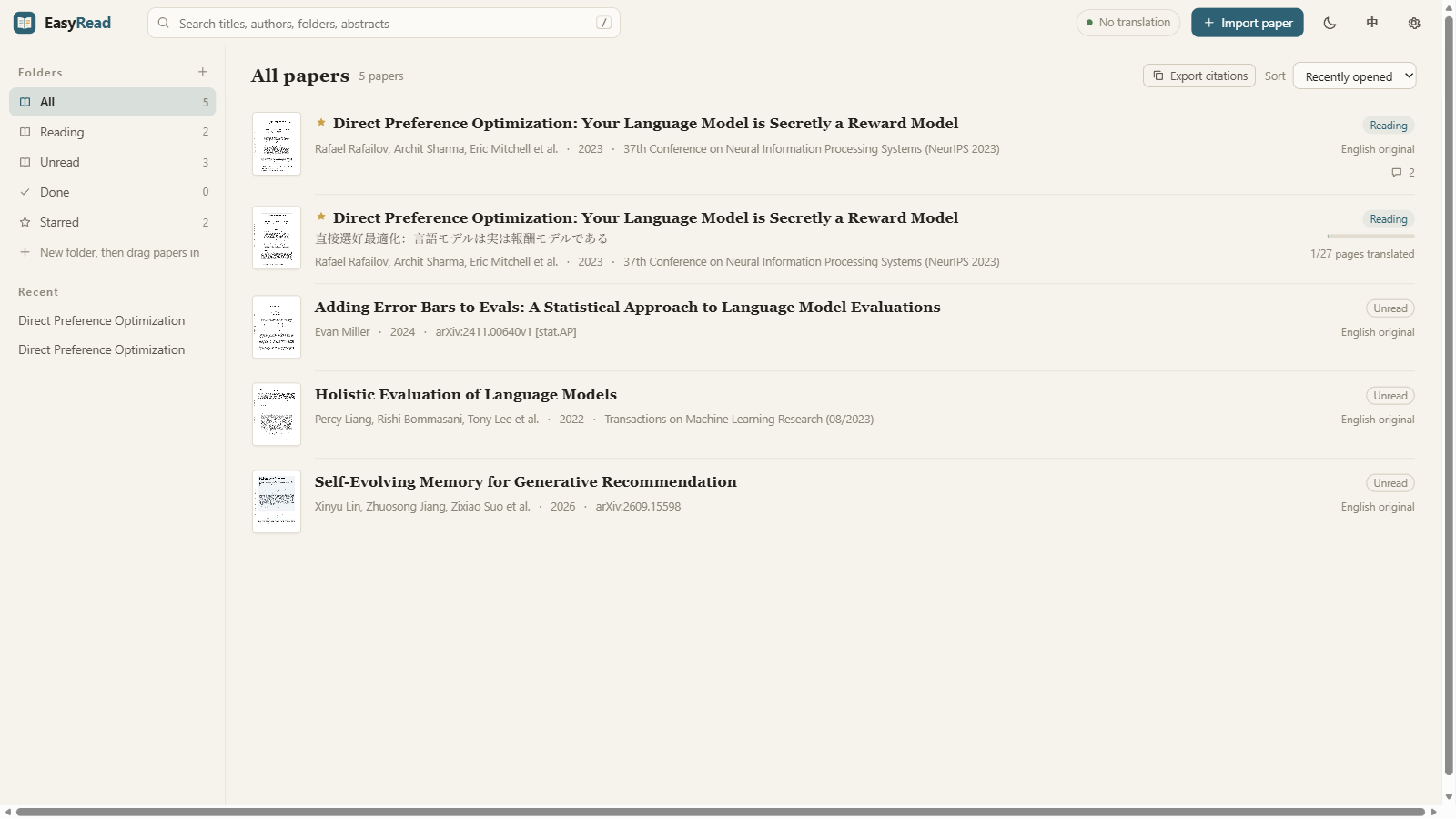
Pin papers and folders, drag papers into your own folders, see recent reads, stars and progress at a glance, copy citations (GB/T 7714, APA, BibTeX), and export a single-file offline page to share. Deleted papers go to a trash you can restore from.

English library with paper status and reading progress

Works on your phone too

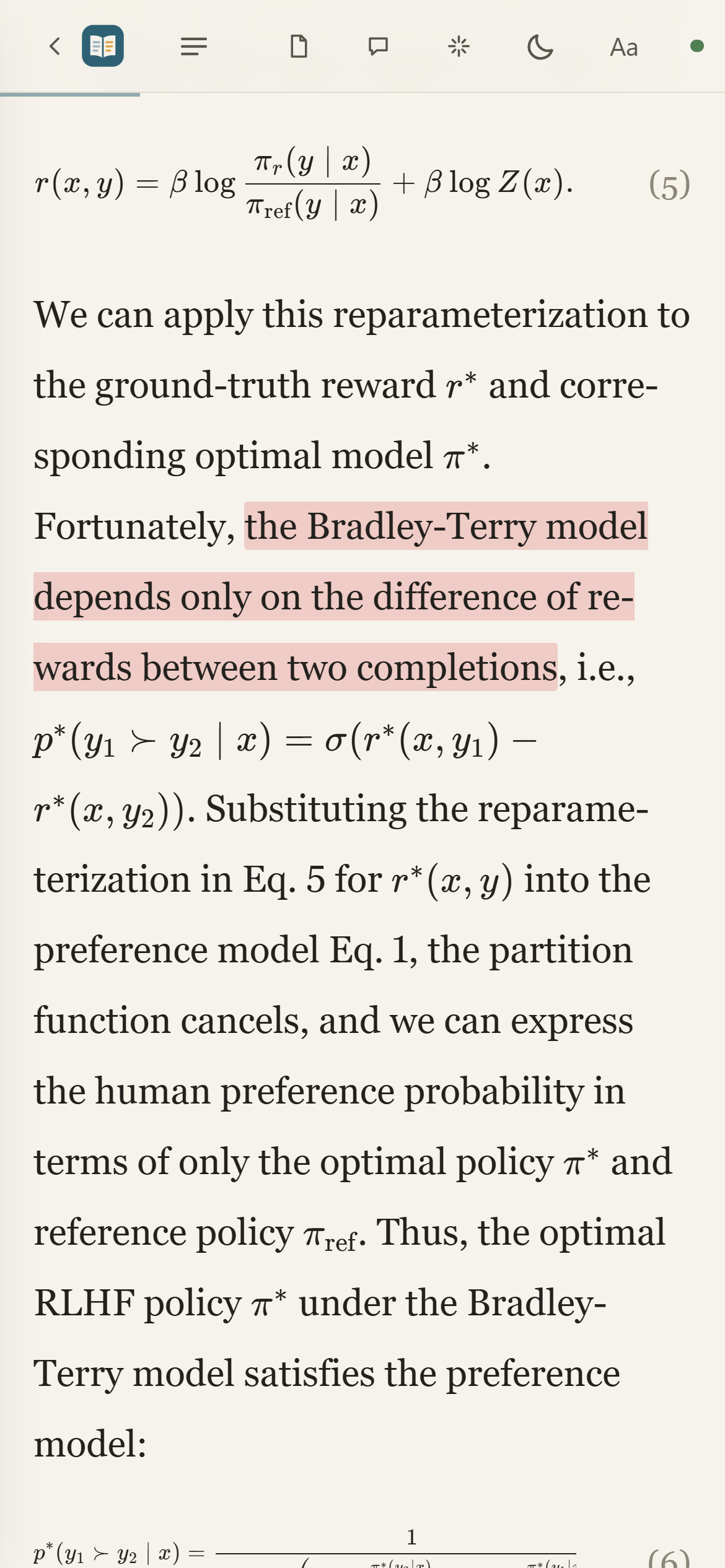
Exported offline pages and the live demo are mobile-friendly: keep reading on the commute, highlights included.

English paper reading on a phone

Pick your translation model

Settings detect what's installed; “Test one sentence” tells you right away if it works. Failed pages retry automatically, and if your quota runs out it pauses and picks up later. Token usage is recorded for every translation; with a Claude subscription you also see how much of the 5-hour quota is used.

SourceWhat you needNotes
Claude CodeRecommendedClaude Code installed and logged inNo API key, uses your subscription; checks equations against the page image. Best quality
Codex CLICodex installed and logged inNo API key, uses your ChatGPT account
API · China-directAPI keyDeepSeek, Zhipu, Alibaba Bailian, Kimi, SiliconFlow, ModelScope. Zhipu GLM-4.7-Flash and SiliconFlow's small models are free; DeepSeek costs cents per paper
API · InternationalAPI keyOpenAI, Anthropic, Gemini, OpenRouter, Groq, Cerebras; the last four have free tiers
API · LocalFreeOllama or LM Studio installedFully offline. qwen3.5:9b recommended (4b for small GPUs)
API · Custom endpointURL + keyAny OpenAI-compatible API or relay; “Fetch model list” pulls the model names for you

Up and running in three steps

Easiest: download the installer. No Python needed, for Windows, macOS (Apple silicon) and Linux.

Download and install

Grab the Windows .exe, macOS .dmg or Linux .AppImage from Releases; it opens in its own window. Or run from source (Python 3.10+).

Choose a model

Open Settings (top right), pick Claude Code, Codex CLI or an API (DeepSeek, Zhipu, local Ollama…), and hit “Test one sentence”.

Import a paper and read

Drag in a PDF or paste an arXiv ID or link. Translated pages are readable right away; the rest show the original.

First launch on macOS: verification or “damaged” warnings
  1. “Developer cannot be verified” or “Apple cannot check it for malicious software”: click Done (not Move to Trash), open System Settings → Privacy & Security, scroll down to the security message, and click Open Anyway. Click Open in the confirmation dialog, then enter your login password or use Touch ID when prompted.

  2. “EasyRead is damaged and can’t be opened”: download it again from the official EasyRead Releases and drag the app into Applications. This warning can also mean the file is damaged or has been modified; it does not identify the cause by itself. Only after confirming that your copy came from that official repository and that you trust it, run the following in Terminal, then open EasyRead again. This removes the quarantine attribute; it does not repair a damaged file.

    xattr -dr com.apple.quarantine /Applications/EasyRead.app
  3. Why verification may fail: the macOS package currently has an ad-hoc signature, without an Apple developer certificate or notarization, so macOS may block it. The code is open source; you can also run from source.

If macOS says the app “will damage your computer”, or explicitly detects malware and asks you to move it to the Trash, stop the installation and do not use the steps above to bypass the warning. Follow Apple’s official guidance.

Run from source

Requires Python 3.10+. Download the source zip from Releases and unzip it. Double-click start.cmd on Windows, or run ./start.sh from the extracted folder on macOS / Linux. Or install with pip:

pip install git+https://github.com/Edwardxlai/easyread
easyread

FAQ

What happens when I import a long paper?

Whole-paper translation above 60 pages asks for confirmation by default: translate all pages, translate the first 60, or wait. Change the limit in Settings → Model; 0 disables the confirmation.

What is the ASD-STE100 answer style?

An optional Ask AI style for concise Chinese explanations that preserve technical terms, equations and conditions. It borrows principles from the English writing standard; Chinese answers are not certified as compliant.

Does it cost anything?

EasyRead itself is free and open source. Translation runs on your own model: Claude Code / Codex use your existing subscription, local and free-tier models cost nothing, paid APIs bill per use.

Where are my papers and notes? Is anything uploaded?

Files stay on your machine by default, one folder per paper with the original PDF, page images and JSON files. If you choose a synced folder in Settings → Cloud library, your cloud drive client handles uploads and syncing. Translation and AI questions send the relevant content to the model you picked.

Can it translate into other languages?

Yes: Chinese, Japanese, Korean, Spanish, French and German. Choose the default in Settings → Reading → Translate papers into, or pick a language when importing. You can also read the English original without translation.

Can I share a paper with someone who doesn't have EasyRead?

Yes. Right-click a paper → “Export offline HTML” for a single-file web page; they double-click to open it in a browser, with the translation, equations, page images, your highlights and notes included. Page images are embedded, so it's not small (about 10 MB for a 27-page paper).

Are highlights in the live demo saved?

They're saved in your own browser and nobody else sees them. The demo can't import papers or ask AI; install it locally for the full feature set.